Scrollbar#
Superclasses: Widget, InitiallyUnowned, Object
Implemented Interfaces: Accessible, AccessibleRange, Buildable, ConstraintTarget, Orientable
Shows a horizontal or vertical scrollbar.
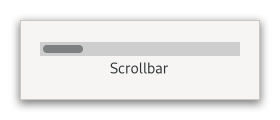
Its position and movement are controlled by the adjustment that is passed to
or created by new. See Adjustment for more
details. The value field sets the position of the
thumb and must be between lower and
upper - page_size.
The page_size represents the size of the visible
scrollable area.
The fields step_increment and
page_increment fields are added to or subtracted
from the value when the user asks to move by a step
(using e.g. the cursor arrow keys) or by a page (using e.g. the Page Down/Up
keys).
CSS nodes#
scrollbar
╰── range[.fine-tune]
    ╰── trough
        ╰── slider
GtkScrollbar has a main CSS node with name scrollbar and a subnode for its
contents. The main node gets the .horizontal or .vertical style classes applied,
depending on the scrollbar’s orientation.
The range node gets the style class .fine-tune added when the scrollbar is in ‘fine-tuning’ mode.
Other style classes that may be added to scrollbars inside
ScrolledWindow include the positional classes (.left, .right,
.top, .bottom) and style classes related to overlay scrolling (.overlay-indicator,
.dragging, .hovering).
Accessibility#
GtkScrollbar uses the scrollbar role.
Constructors#
- class Scrollbar
- classmethod new(orientation: Orientation, adjustment: Adjustment | None = None) Widget#
Creates a new scrollbar with the given orientation.
- Parameters:
orientation – the scrollbar’s orientation.
adjustment – the
Adjustmentto use, orNoneto create a new adjustment.
Methods#
- class Scrollbar
- get_adjustment() Adjustment#
Returns the scrollbar’s adjustment.
- set_adjustment(adjustment: Adjustment | None = None) None#
Makes the scrollbar use the given adjustment.
- Parameters:
adjustment – the adjustment to set
Properties#
- class Scrollbar
- props.adjustment: Adjustment#
The
GtkAdjustmentcontrolled by this scrollbar.