Expander#
Superclasses: Widget, InitiallyUnowned, Object
Implemented Interfaces: Accessible, Buildable, ConstraintTarget
Allows the user to reveal or conceal a child widget.
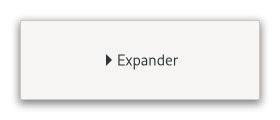
This is similar to the triangles used in a GtkTreeView.
Normally you use an expander as you would use a frame; you create
the child widget and use set_child to add it
to the expander. When the expander is toggled, it will take care of
showing and hiding the child automatically.
Special Usage#
There are situations in which you may prefer to show and hide the
expanded widget yourself, such as when you want to actually create
the widget at expansion time. In this case, create a GtkExpander
but do not add a child to it. The expander widget has an
expanded property which can be used to
monitor its expansion state. You should watch this property with
a signal connection as follows:
static void
expander_callback (GObject    *object,
                   GParamSpec *param_spec,
                   gpointer    user_data)
{
  GtkExpander *expander;

  expander = GTK_EXPANDER (object);

  if (gtk_expander_get_expanded (expander))
    {
      // Show or create widgets
    }
  else
    {
      // Hide or destroy widgets
    }
}

static void
create_expander (void)
{
  GtkWidget *expander = gtk_expander_new_with_mnemonic ("_More Options");
  g_signal_connect (expander, "notify::expanded",
                    G_CALLBACK (expander_callback), NULL);

  // ...
}
GtkExpander as GtkBuildable#
An example of a UI definition fragment with GtkExpander:
<object class="GtkExpander">
  <property name="label-widget">
    <object class="GtkLabel" id="expander-label"/>
  </property>
  <property name="child">
    <object class="GtkEntry" id="expander-content"/>
  </property>
</object>
CSS nodes#
expander-widget
╰── box
    ├── title
    │   ├── expander
    │   ╰── <label widget>
    ╰── <child>
GtkExpander has a main node expander-widget, and subnode box containing
the title and child widget. The box subnode title contains node expander,
i.e. the expand/collapse arrow; then the label widget if any. The arrow of an
expander that is showing its child gets the :checked pseudoclass set on it.
Accessibility#
GtkExpander uses the button role.
Constructors#
- class Expander
- classmethod new(label: str | None = None) Widget#
Creates a new expander using
labelas the text of the label.- Parameters:
label – the text of the label
- classmethod new_with_mnemonic(label: str | None = None) Widget#
Creates a new expander using
labelas the text of the label.If characters in
labelare preceded by an underscore, they are underlined. If you need a literal underscore character in a label, use “__” (two underscores). The first underlined character represents a keyboard accelerator called a mnemonic.Pressing Alt and that key activates the button.
- Parameters:
label – the text of the label with an underscore in front of the mnemonic character
Methods#
- class Expander
-
- get_expanded() bool#
Queries a
GtkExpanderand returns its current state.Returns
Trueif the child widget is revealed.
- get_label() str | None#
Fetches the text from a label widget.
This is including any embedded underlines indicating mnemonics and Pango markup, as set by
set_label. If the label text has not been set the return value will beNone. This will be the case if you create an empty button withnew()to use as a container.
- get_resize_toplevel() bool#
Returns whether the expander will resize the toplevel widget containing the expander upon resizing and collapsing.
- set_child(child: Widget | None = None) None#
Sets the child widget of
expander.- Parameters:
child – the child widget
- set_expanded(expanded: bool) None#
Sets the state of the expander.
Set to
True, if you want the child widget to be revealed, andFalseif you want the child widget to be hidden.- Parameters:
expanded – whether the child widget is revealed
- set_label(label: str | None = None) None#
Sets the text of the label of the expander to
label.This will also clear any previously set labels.
- Parameters:
label – a string
- set_label_widget(label_widget: Widget | None = None) None#
Set the label widget for the expander.
This is the widget that will appear embedded alongside the expander arrow.
- Parameters:
label_widget – the new label widget
- set_resize_toplevel(resize_toplevel: bool) None#
Sets whether the expander will resize the toplevel widget containing the expander upon resizing and collapsing.
- Parameters:
resize_toplevel – whether to resize the toplevel