ComboBox#
Deprecated since version 4.10: Use DropDown instead
Superclasses: Widget, InitiallyUnowned, Object
Subclasses: ComboBoxText
Implemented Interfaces: Accessible, Buildable, CellEditable, CellLayout, ConstraintTarget
A GtkComboBox is a widget that allows the user to choose from a list of
valid choices.
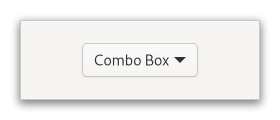
The GtkComboBox displays the selected choice; when activated, the
GtkComboBox displays a popup which allows the user to make a new choice.
The GtkComboBox uses the model-view pattern; the list of valid choices
is specified in the form of a tree model, and the display of the choices
can be adapted to the data in the model by using cell renderers, as you
would in a tree view. This is possible since GtkComboBox implements the
CellLayout interface. The tree model holding the valid
choices is not restricted to a flat list, it can be a real tree, and the
popup will reflect the tree structure.
To allow the user to enter values not in the model, the
has_entry property allows the GtkComboBox to
contain a Entry. This entry can be accessed by calling
get_child on the combo box.
For a simple list of textual choices, the model-view API of GtkComboBox
can be a bit overwhelming. In this case, ComboBoxText offers
a simple alternative. Both GtkComboBox and GtkComboBoxText can contain
an entry.
CSS nodes#
combobox
├── box.linked
│   ╰── button.combo
│       ╰── box
│           ├── cellview
│           ╰── arrow
╰── window.popup
A normal combobox contains a box with the .linked class, a button with the .combo class and inside those buttons, there are a cellview and an arrow.
combobox
├── box.linked
│   ├── entry.combo
│   ╰── button.combo
│       ╰── box
│           ╰── arrow
╰── window.popup
A GtkComboBox with an entry has a single CSS node with name combobox.
It contains a box with the .linked class. That box contains an entry and
a button, both with the .combo class added. The button also contains another
node with name arrow.
Accessibility#
GtkComboBox uses the combo_box role.
Constructors#
- class ComboBox
- classmethod new() Widget#
Creates a new empty
GtkComboBox.Deprecated since version 4.10: Use
DropDown
- classmethod new_with_entry() Widget#
Creates a new empty
GtkComboBoxwith an entry.In order to use a combo box with entry, you need to tell it which column of the model contains the text for the entry by calling
set_entry_text_column.Deprecated since version 4.10: Use
DropDown
- classmethod new_with_model(model: TreeModel) Widget#
Creates a new
GtkComboBoxwith a model.Deprecated since version 4.10: Use
DropDown- Parameters:
model – a
GtkTreeModel
- classmethod new_with_model_and_entry(model: TreeModel) Widget#
Creates a new empty
GtkComboBoxwith an entry and a model.See also
new_with_entry.Deprecated since version 4.10: Use
DropDown- Parameters:
model – A
GtkTreeModel
Methods#
- class ComboBox
-
- get_active() int#
Returns the index of the currently active item.
If the model is a non-flat treemodel, and the active item is not an immediate child of the root of the tree, this function returns
gtk_tree_path_get_indices (path)[0], wherepathis theTreePathof the active item.Deprecated since version 4.10: Use
DropDown
- get_active_id() str | None#
Returns the ID of the active row of
combo_box.This value is taken from the active row and the column specified by the
id_columnproperty ofcombo_box(seeset_id_column).The returned value is an interned string which means that you can compare the pointer by value to other interned strings and that you must not free it.
If the
id_columnproperty ofcombo_boxis not set, or if no row is active, or if the active row has aNoneID value, thenNoneis returned.Deprecated since version 4.10: Use
DropDown
- get_active_iter() tuple[bool, TreeIter]#
Sets
iterto point to the currently active item.If no item is active,
iteris left unchanged.Deprecated since version 4.10: Use
DropDown
- get_button_sensitivity() SensitivityType#
Returns whether the combo box sets the dropdown button sensitive or not when there are no items in the model.
Deprecated since version 4.10: Use
DropDown
- get_child() Widget | None#
Gets the child widget of
combo_box.Deprecated since version 4.10: Use
DropDown
- get_entry_text_column() int#
Returns the column which
combo_boxis using to get the strings from to display in the internal entry.Deprecated since version 4.10: Use
DropDown
- get_has_entry() bool#
Returns whether the combo box has an entry.
Deprecated since version 4.10: Use
DropDown
- get_id_column() int#
Returns the column which
combo_boxis using to get string IDs for values from.Deprecated since version 4.10: Use
DropDown
- get_model() TreeModel | None#
Returns the
GtkTreeModelofcombo_box.Deprecated since version 4.10: Use
DropDown
- get_popup_fixed_width() bool#
Gets whether the popup uses a fixed width.
Deprecated since version 4.10: Use
DropDown
- popdown() None#
Hides the menu or dropdown list of
combo_box.This function is mostly intended for use by accessibility technologies; applications should have little use for it.
Deprecated since version 4.10: Use
DropDown
- popup() None#
Pops up the menu or dropdown list of
combo_box.This function is mostly intended for use by accessibility technologies; applications should have little use for it.
Before calling this,
combo_boxmust be mapped, or nothing will happen.Deprecated since version 4.10: Use
DropDown
- popup_for_device(device: Device) None#
Pops up the menu of
combo_box.Note that currently this does not do anything with the device, as it was previously only used for list-mode combo boxes, and those were removed in GTK 4. However, it is retained in case similar functionality is added back later.
Deprecated since version 4.10: Use
DropDown- Parameters:
device – a
GdkDevice
- set_active(index_: int) None#
Sets the active item of
combo_boxto be the item atindex.Deprecated since version 4.10: Use
DropDown- Parameters:
index – An index in the model passed during construction, or -1 to have no active item
- set_active_id(active_id: str | None = None) bool#
Changes the active row of
combo_boxto the one that has an ID equal toactive_id.If
active_idisNone, the active row is unset. Rows having aNoneID string cannot be made active by this function.If the
id_columnproperty ofcombo_boxis unset or if no row has the given ID then the function does nothing and returnsFalse.Deprecated since version 4.10: Use
DropDown- Parameters:
active_id – the ID of the row to select
- set_active_iter(iter: TreeIter | None = None) None#
Sets the current active item to be the one referenced by
iter.If
iterisNone, the active item is unset.Deprecated since version 4.10: Use
DropDown- Parameters:
iter – The
GtkTreeIter
- set_button_sensitivity(sensitivity: SensitivityType) None#
Sets whether the dropdown button of the combo box should update its sensitivity depending on the model contents.
Deprecated since version 4.10: Use
DropDown- Parameters:
sensitivity – specify the sensitivity of the dropdown button
- set_child(child: Widget | None = None) None#
Sets the child widget of
combo_box.Deprecated since version 4.10: Use
DropDown- Parameters:
child – the child widget
- set_entry_text_column(text_column: int) None#
Sets the model column which
combo_boxshould use to get strings from to betext_column.For this column no separate
CellRendereris needed.The column
text_columnin the model ofcombo_boxmust be of typestr.This is only relevant if
combo_boxhas been created withhas_entryasTrue.Deprecated since version 4.10: Use
DropDown- Parameters:
text_column – A column in
modelto get the strings from for the internal entry
- set_id_column(id_column: int) None#
Sets the model column which
combo_boxshould use to get string IDs for values from.The column
id_columnin the model ofcombo_boxmust be of typestr.Deprecated since version 4.10: Use
DropDown- Parameters:
id_column – A column in
modelto get string IDs for values from
- set_model(model: TreeModel | None = None) None#
Sets the model used by
combo_boxto bemodel.Will unset a previously set model (if applicable). If model is
None, then it will unset the model.Note that this function does not clear the cell renderers, you have to call
clearyourself if you need to set up different cell renderers for the new model.Deprecated since version 4.10: Use
DropDown- Parameters:
model – A
GtkTreeModel
- set_popup_fixed_width(fixed: bool) None#
Specifies whether the popup’s width should be a fixed width.
If
fixedisTrue, the popup’s width is set to match the allocated width of the combo box.Deprecated since version 4.10: Use
DropDown- Parameters:
fixed – whether to use a fixed popup width
- set_row_separator_func(func: Callable[[TreeModel, TreeIter, Any], bool] | None = None, data: Any = None) None#
Sets the row separator function, which is used to determine whether a row should be drawn as a separator.
If the row separator function is
None, no separators are drawn. This is the default value.Deprecated since version 4.10: Use
DropDown- Parameters:
func – a
GtkTreeViewRowSeparatorFuncdata – user data to pass to
func
Properties#
- class ComboBox
- props.active: int#
The item which is currently active.
If the model is a non-flat treemodel, and the active item is not an immediate child of the root of the tree, this property has the value
gtk_tree_path_get_indices (path)[0], wherepathis theTreePathof the active item.
- props.button_sensitivity: SensitivityType#
Whether the dropdown button is sensitive when the model is empty.
- props.entry_text_column: int#
The model column to associate with strings from the entry.
This is property only relevant if the combo was created with
has_entryisTrue.
- props.id_column: int#
The model column that provides string IDs for the values in the model, if != -1.
Signals#
- class ComboBox.signals
- activate() None#
Emitted to when the combo box is activated.
The
::activatesignal onGtkComboBoxis an action signal and emitting it causes the combo box to pop up its dropdown.Added in version 4.6.
- changed() None#
Emitted when the active item is changed.
The can be due to the user selecting a different item from the list, or due to a call to
set_active_iter. It will also be emitted while typing into the entry of a combo box with an entry.
- format_entry_text(path: str) str#
Emitted to allow changing how the text in a combo box’s entry is displayed.
See
has_entry.Connect a signal handler which returns an allocated string representing
path. That string will then be used to set the text in the combo box’s entry. The default signal handler uses the text from theentry_text_columnmodel column.Here’s an example signal handler which fetches data from the model and displays it in the entry.
static char *
format_entry_text_callback (GtkComboBox *combo,
                            const char *path,
                            gpointer     user_data)
{
  GtkTreeIter iter;
  GtkTreeModel model;
  double       value;

  model = gtk_combo_box_get_model (combo);

  gtk_tree_model_get_iter_from_string (model, &iter, path);
  gtk_tree_model_get (model, &iter,
                      THE_DOUBLE_VALUE_COLUMN, &value,
                      -1);

  return g_strdup_printf ("%g", value);
}
- Parameters:
path – the
TreePathstring from the combo box’s current model to format text for
- move_active(scroll_type: ScrollType) None#
Emitted to move the active selection.
This is an keybinding signal.
- Parameters:
scroll_type – a
GtkScrollType
- popdown() bool#
Emitted to popdown the combo box list.
This is an keybinding signal.
The default bindings for this signal are Alt+Up and Escape.
- popup() None#
Emitted to popup the combo box list.
This is an keybinding signal.
The default binding for this signal is Alt+Down.
Virtual Methods#
Fields#
- class ComboBox
- parent_instance#