FontDialogButton#
Added in version 4.10.
Superclasses: Widget, InitiallyUnowned, Object
Implemented Interfaces: Accessible, Buildable, ConstraintTarget
Opens a font chooser dialog to select a font.
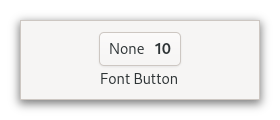
It is suitable widget for selecting a font in a preference dialog.
CSS nodes#
fontbutton
╰── button.font
    ╰── [content]
GtkFontDialogButton has a single CSS node with name fontbutton which
contains a button node with the .font style class.
Constructors#
- class FontDialogButton
- classmethod new(dialog: FontDialog | None = None) Widget#
Creates a new
GtkFontDialogButtonwith the givenGtkFontDialog.You can pass
NULLto this function and set aGtkFontDialoglater. The button will be insensitive until that happens.Added in version 4.10.
- Parameters:
dialog – the
GtkFontDialogto use
Methods#
- class FontDialogButton
- get_dialog() FontDialog | None#
Returns the
GtkFontDialogofself.Added in version 4.10.
- get_font_desc() FontDescription | None#
Returns the font of the button.
This function is what should be used to obtain the font that was chosen by the user. To get informed about changes, listen to “notify::font-desc”.
Added in version 4.10.
- get_font_features() str | None#
Returns the font features of the button.
This function is what should be used to obtain the font features that were chosen by the user. To get informed about changes, listen to “notify::font-features”.
Note that the button will only let users choose font features if
levelis set toGTK_FONT_LEVEL_FEATURES.Added in version 4.10.
- get_language() Language | None#
Returns the language that is used for font features.
Added in version 4.10.
- get_level() FontLevel#
Returns the level of detail at which this dialog lets the user select fonts.
Added in version 4.10.
- get_use_size() bool#
Returns whether the selected font size is used in the label.
Added in version 4.10.
- set_dialog(dialog: FontDialog) None#
Sets a
GtkFontDialogobject to use for creating the font chooser dialog that is presented when the user clicks the button.Added in version 4.10.
- Parameters:
dialog – the new
GtkFontDialog
- set_font_desc(font_desc: FontDescription) None#
Sets the font of the button.
Added in version 4.10.
- Parameters:
font_desc – the new font
- set_font_features(font_features: str | None = None) None#
Sets the font features of the button.
Added in version 4.10.
- Parameters:
font_features – the font features
- set_language(language: Language | None = None) None#
Sets the language to use for font features.
Added in version 4.10.
- Parameters:
language – the new language
- set_level(level: FontLevel) None#
Sets the level of detail at which this dialog lets the user select fonts.
Added in version 4.10.
- Parameters:
level – the level of detail
Properties#
- class FontDialogButton
- props.dialog: FontDialog#
The
GtkFontDialogthat contains parameters for the font chooser dialog.Added in version 4.10.
- props.font_desc: FontDescription#
The selected font.
This property can be set to give the button its initial font, and it will be updated to reflect the users choice in the font chooser dialog.
Listen to
notify::font-descto get informed about changes to the buttons font.Added in version 4.10.
- props.font_features: str#
The selected font features.
This property will be updated to reflect the users choice in the font chooser dialog.
Listen to
notify::font-featuresto get informed about changes to the buttons font features.Added in version 4.10.