MessageDialog#
Deprecated since version 4.10: Use AlertDialog instead
- class MessageDialog(*args, **kwargs)#
Superclasses: Dialog, Window, Widget, InitiallyUnowned, Object
Implemented Interfaces: Accessible, Buildable, ConstraintTarget, Native, Root, ShortcutManager
GtkMessageDialog presents a dialog with some message text.
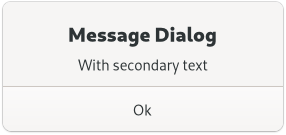
It’s simply a convenience widget; you could construct the equivalent of
GtkMessageDialog from GtkDialog without too much effort, but
GtkMessageDialog saves typing.
The easiest way to do a modal message dialog is to use the MODAL
flag, which will call set_modal internally. The dialog will
prevent interaction with the parent window until it’s hidden or destroyed.
You can use the response signal to know when the user
dismissed the dialog.
An example for using a modal dialog:
GtkDialogFlags flags = GTK_DIALOG_DESTROY_WITH_PARENT | GTK_DIALOG_MODAL;
dialog = gtk_message_dialog_new (parent_window,
                                 flags,
                                 GTK_MESSAGE_ERROR,
                                 GTK_BUTTONS_CLOSE,
                                 "Error reading “%s”: %s",
                                 filename,
                                 g_strerror (errno));
// Destroy the dialog when the user responds to it
// (e.g. clicks a button)

g_signal_connect (dialog, "response",
                  G_CALLBACK (gtk_window_destroy),
                  NULL);
You might do a non-modal GtkMessageDialog simply by omitting the
MODAL flag:
GtkDialogFlags flags = GTK_DIALOG_DESTROY_WITH_PARENT;
dialog = gtk_message_dialog_new (parent_window,
                                 flags,
                                 GTK_MESSAGE_ERROR,
                                 GTK_BUTTONS_CLOSE,
                                 "Error reading “%s”: %s",
                                 filename,
                                 g_strerror (errno));

// Destroy the dialog when the user responds to it
// (e.g. clicks a button)
g_signal_connect (dialog, "response",
                  G_CALLBACK (gtk_window_destroy),
                  NULL);
GtkMessageDialog as GtkBuildable#
The GtkMessageDialog implementation of the GtkBuildable interface exposes
the message area as an internal child with the name “message_area”.
Methods#
- class MessageDialog
- get_message_area() Widget#
Returns the message area of the dialog.
This is the box where the dialog’s primary and secondary labels are packed. You can add your own extra content to that box and it will appear below those labels. See
get_content_areafor the corresponding function in the parentDialog.Deprecated since version 4.10: Use
AlertDialoginstead
- set_markup(str: str) None#
Sets the text of the message dialog.
Deprecated since version 4.10: Use
AlertDialoginstead- Parameters:
str – string with Pango markup
Properties#
- class MessageDialog
- props.buttons: ButtonsType#
Set of buttons to display on the dialog.
- props.message_area: Widget#
The
GtkBoxthat corresponds to the message area of this dialog.See
get_message_areafor a detailed description of this area.
- props.message_type: MessageType#
The type of the message.
- props.secondary_use_markup: bool#
Trueif the secondary text of the dialog includes Pango markup.See
parse_markup.
- props.text: str#
The primary text of the message dialog.
If the dialog has a secondary text, this will appear as the title.
- props.use_markup: bool#
Trueif the primary text of the dialog includes Pango markup.See
parse_markup.
Fields#
- class MessageDialog
- parent_instance#